WhatsApp Business app for Android now in India: What users need to know about interacting with businesses on WhatsApp
How exactly does WhatsApp Business work? Let's break down the features of the new app for a better understanding of how regular users can interact with businesses through WhatsApp Messenger.
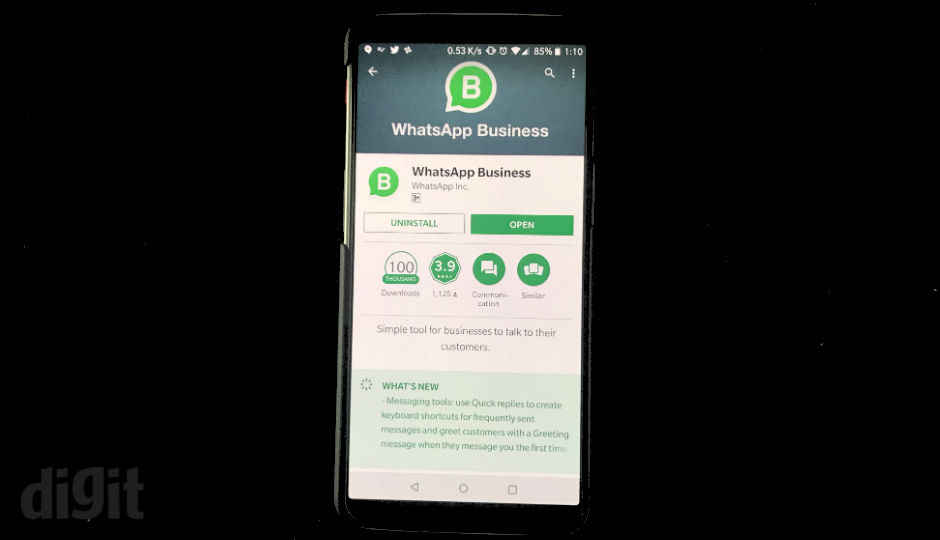
The WhatsApp Business app is now live in India and is
available to download for all Android users through the Google Play
Store. The app is only meant for Businesses looking to interact with
their customer base through the messaging platform. Users who do not
want to use WhatsApp for business purposes are not required to download
the new app. Instead, regular users of WhatsApp Messenger will be able to interact with businesses through the existing app.
So how exactly does WhatsApp Business
work? Let’s break down the features of the app for a better
understanding of how regular users can interact with businesses through
WhatsApp Messenger.
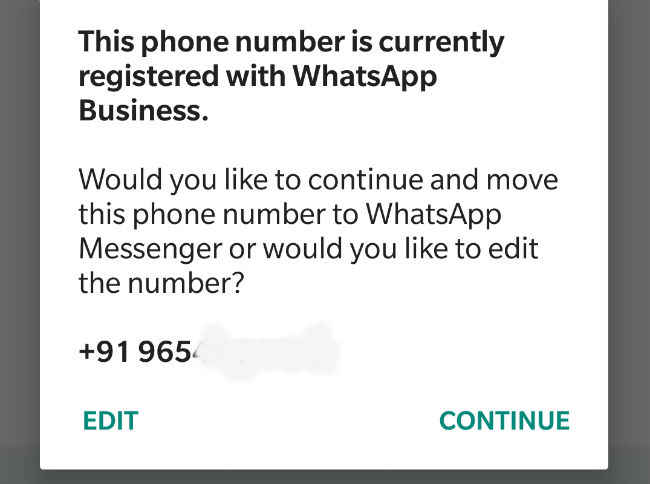
WhatsApp Business accounts can only be created by legitimate businesses using a mobile number that belong to the business. The same mobile number cannot be registered for a regular WhatsApp account and a WhatsApp Business account at the same time.
If the same mobile number is found registered for both WhatsApp
Messenger and WhatsApp Business, either app will prompt the user to
deregister from one of the apps.
WhatsApp Business is designed for businesses to reach their
customer base. According to WhatsApp Business’ Terms of Use, any
company or business need to obtain a user’s consent before contacting
them on WhatsApp. “You may only contact people on WhatsApp if (1) they
have given you their name and mobile number; and (2) they have agreed to
be contacted by you over WhatsApp. You are solely responsible for
providing the appropriate notices and obtaining appropriate consents
from users,” WhatsApp writes in its Legal Terms of Use for WhatsApp
Business account holders.
How can you verify a legitimate WhatsApp Business account?
WhatsApp
Business accounts that have been verified by WhatsApp will display a
Green checkmark badge in their profiles. If WhatsApp has confirmed that
the phone number provided by the business in its profile is correct, the
account is deemed as ‘Confirmed’. Confirmed WhatsApp Business accounts
will display a Grey checkmark badge in its profile. An account that
hasn’t been confirmed or verified displays a Grey question mark badge in
its profile.
How can WhatsApp Business accounts contact you on WhatsApp Messenger?
WhatsApp Business allows companies to create a customer contact list or upload it from cloud accounts.
It is not clear how companies will obtain consent from
users for contacting them on WhatsApp. Currently, multiple businesses
ask for a user’s phone number for providing services. These numbers are
then stored in a database and used to market services and products
through SMSes. For instance, if you ever book movie tickets through
BookMyShow, you inevitably share your mobile number with the service. So
BookMyShow has your number in it’s database, but to use that number to
contact you on WhatsApp, the company will need to obtain necessary
permits from you. How it will do that still remains to be seen.
Can you block WhatsApp Business accounts from contacting you?
Yes,
WhatsApp Business accounts can be blocked or marked as spam. Users can
simply open the WhatsApp Business chat from the account they wish to
block. After opening the chat, Tap the Menu Button and Report Spam or
Block.
Can you share payment information with companies operating WhatsApp Business accounts?
No,
WhatsApp advises users not to share any kind of payment information
with holders of WhatsApp Business accounts. “Don't share or ask people
to share individual payment card, financial account numbers or other
cardholder data within messages,” WhatsApp writes in its Business Policy.
How will WhatsApp use information of customers of WhatsApp Business account holders?
WhatsApp
messages exchanged between regular users and Business account holders
can be shared by the latter with WhatsApp. In Fact, the WhatsApp
Business Terms of use state the following:
“Company agrees to our data practices, including the
collection, use, processing, and sharing of information as described in
our Privacy Policy and these Business Terms, as well as the transfer and
processing of Company’s and its customers’ information to the United
States and other countries globally where we have or use facilities,
service providers, or partners, regardless of where Company uses our
Business Products. Company acknowledges that the laws, regulations, and
standards of the country in which information is stored or processed may
be different from those of Company’s own country.”
And
“In order to operate and provide our Business Products,
Company grants WhatsApp a worldwide, non-exclusive, royalty-free,
sublicensable, and transferable license to use, reproduce, distribute,
create derivative works of, display, and perform the information
(including the content and Company’s trademarks, logos, slogans, and
other proprietary materials) that Company uploads, submits, stores,
sends, or receives on or through our Business Products in order to
provide and improve our Business Products and Consumer Services.”
In a gist, WhatsApp will be able to access your conversations with companies on the platform.
So that was all about interacting with WhatsApp
Business accounts. Let us know what you think of the concept of talking
to businesses through a private messaging app. Let’s hope the addition
of Businesses to WhatsApp does not do to the platform for SMS marketing
did to traditional messaging - killed it.

Comments
Post a Comment